


Use the Steps Below to Set Up Your Loan Payment from Another Financial Institution
If you're making a loan payment using an account from another financial institution, follow the instructions below. Each step includes a screenshot from our mobile app to guide you through the process.
It only takes a few minutes to complete right from your phone!
Step 1
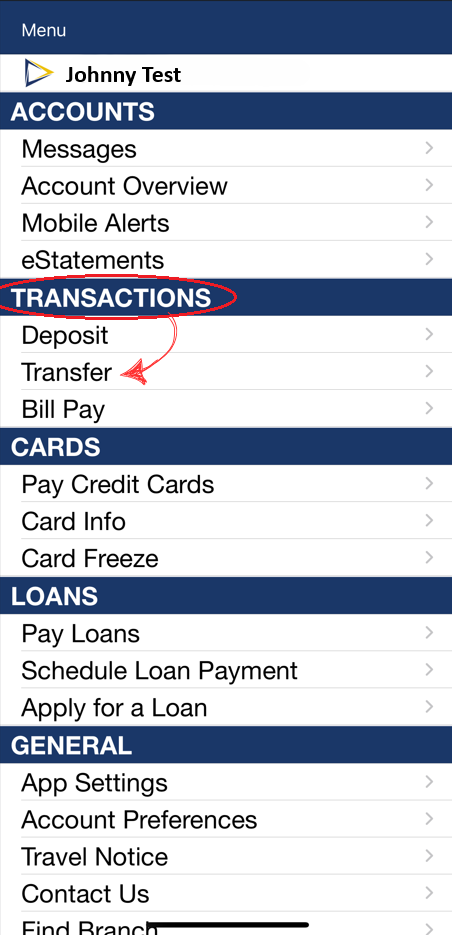
If you are enrolled in online banking you can set up payments by going to >Transactions >Transfers
See image below:
.png)
Step 2
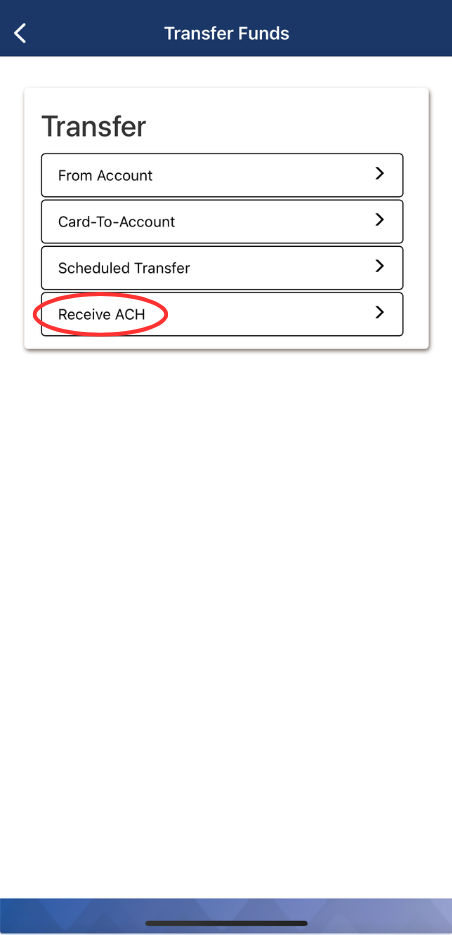
Receive ACH
See image below:
.png)
Step 3
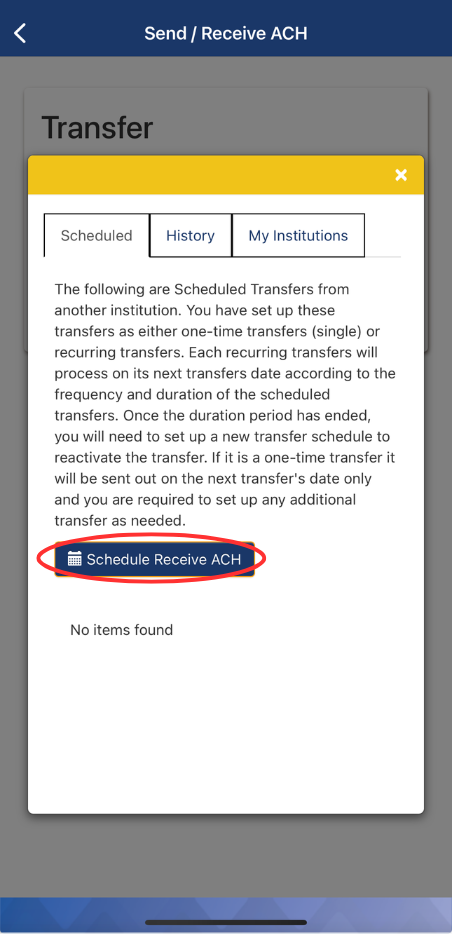
You will then be able to "Schedule Receive ACH."
See image below:
.png)
Step 4
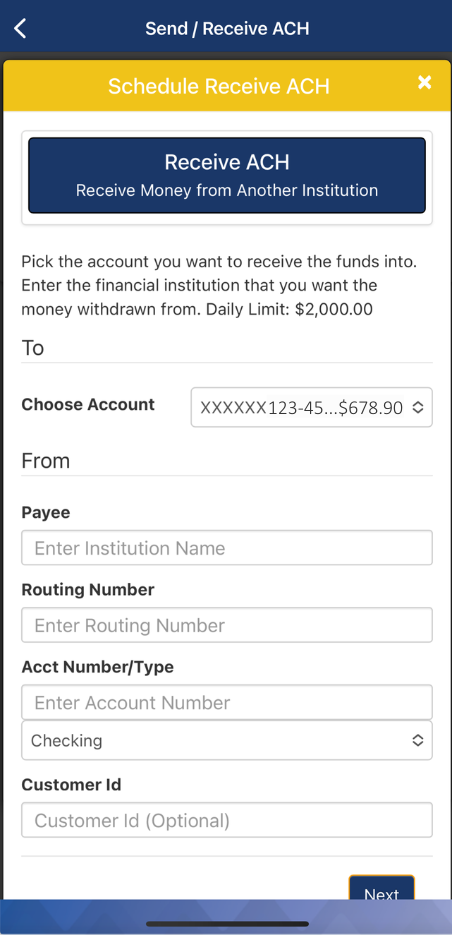
This will let you put in your other Financial Institution's information.
See image below:
.png)